Table of Contents
- What Is the Discord About Me Section?
- Discord About Me Character Limit 190 Chars Explained
- Simple Discord About Me Templates
- Aesthetic Discord About Me Templates
- Cute Discord About Me Templates
- Gaming Discord About Me Templates
- Professional Discord About Me Templates
- Creative Discord About Me Templates
- How to Add an About Me on Discord
- Tips to Make Your About Me Stand Out
- FAQ
TL;DR
- The Discord About Me section is the small text field visible when someone clicks your profile limited to 190 characters including spaces, emojis, and line breaks
- All 30+ templates below fit within the 190-character limit and are free to copy and paste directly
- Replace `[bracketed placeholders]` with your own information before pasting
- Preview and build your About Me at DigiToolVault's free Discord Bio Maker — real-time character count, no signup
- For layout styles with borders and dividers, see our Discord Bio Layout guide
What Is the Discord About Me Section?
The Discord About Me is the text field in your profile settings that displays when someone clicks your username or avatar anywhere on Discord. It appears on your profile card below your display name, pronouns, and any badges — and it is the primary place where you can introduce yourself in your own words.
What About Me Is:
What About Me Is Not:
Many people use "Discord bio" and "Discord About Me" interchangeably they refer to the same field. The official Discord label in Settings is "About Me."
Discord About Me Character Limit 190 Chars Explained
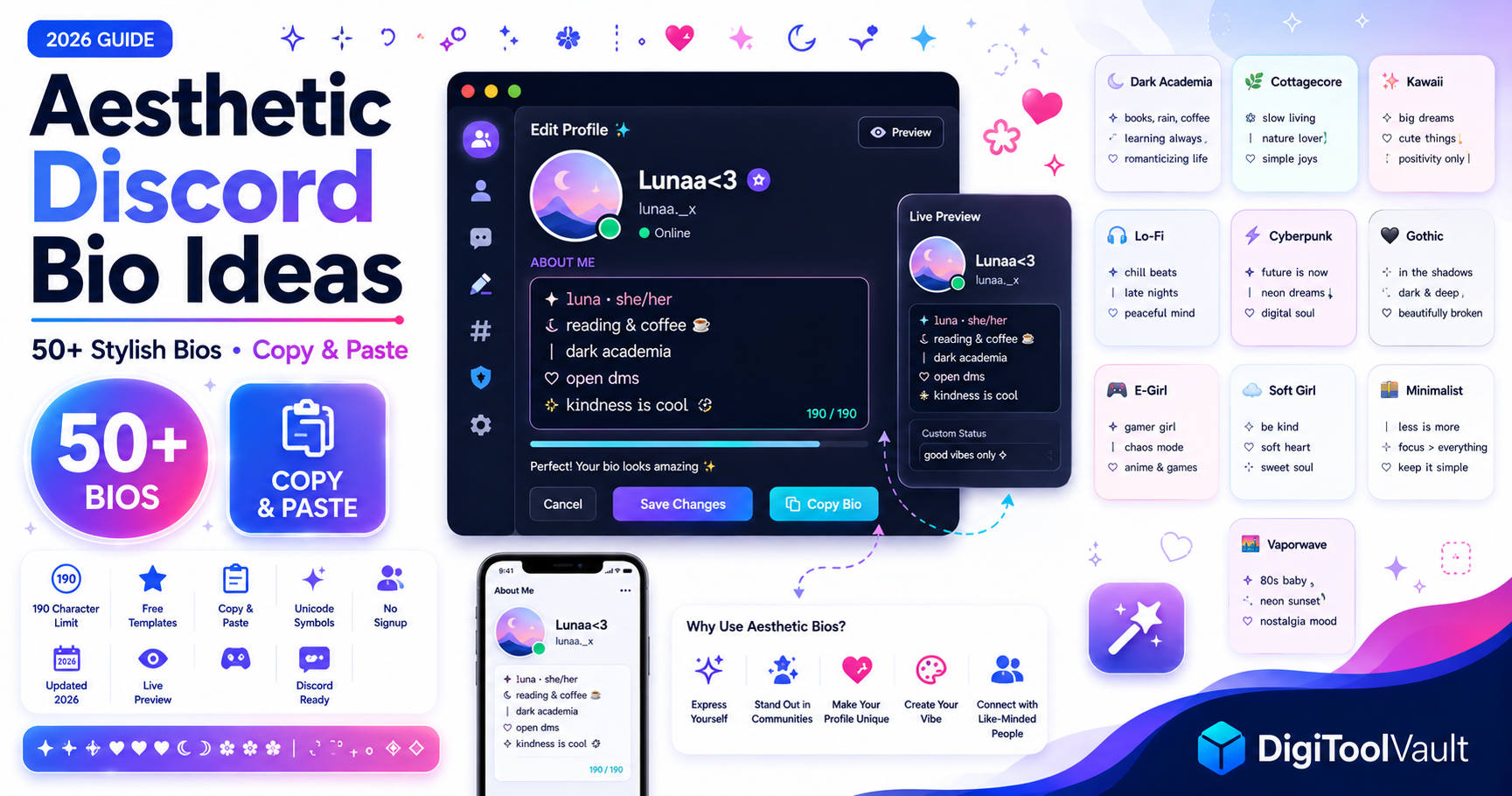
Every character in your About Me counts toward the 190 limit letters, spaces, emojis, Unicode symbols, and line breaks. This is shorter than most people expect. For reference:
> This is approximately what 190 characters looks like > when you fill in your Discord About Me section fully. > It is roughly this long two medium sentences total.
Character Costs to Know
| Character Type | Character Count |
|---|---|
| Standard letters and numbers | 1 each |
| Space | 1 |
| Line break | 1 |
| Most emoji | 2 |
| Unicode symbols (✦ ┊ ╰ →) | 1 each |
| Complex compound emoji (like 🏳️🌈) | 3-6 |
Practical Advice
Write your About Me in a text editor with a character counter before pasting. Cut decorative symbols if you are over 190 they cost the same as letters but carry less information. For a real-time counter with profile preview, use DigiToolVault's Discord Bio Maker.For a complete breakdown of every Discord character limit, see our Discord Character Limit guide.
Simple Discord About Me Templates
Clean, minimal templates that get straight to the point. Good for any server.
Template 1 One-Line Format
[name] · [pronouns] · [age] · [interest 1] & [interest 2] dms [open/closed]Template 2 Bullet Style
name: [your name]pronouns: [your pronouns]
age: [your age]
likes: [interest 1], [interest 2]
dms: [open/closed]
Template 3 - Slash Format
[name] / [pronouns] / [timezone] into [interest 1] and [interest 2] dms [open/closed]Template 4 - Minimal Two Lines
[name] · [pronouns] · [vibe in one word] here for [reason] · dms [open/closed]text
Template 5 - Clean Label
name: [name] age: [age] pronouns: [prns] loves: [thing 1] · [thing 2] dms [open/closed]Aesthetic Discord About Me Templates
Symbol-heavy templates using Unicode characters for visual structure. Popular in art, fandom, and general community servers.
Template 6 - Star Aesthetic
✩₊˚ [name] · [pronouns] ˚₊✩ [interest 1] · [interest 2] ✩ dms [open/closed] ✩Template 7 - Arrow Flow
╰┈➤ [name] · [pronouns] ╰┈➤ [interest 1] · [interest 2] ╰┈➤ dms [open/closed]text
Template 8 - Soft Divider
── ✦ [name] ✦ ── [pronouns] · [age] [one line about you] ── ✦ dms [open/closed] ✦ ──text
Template 9 - Sparkle Frame
✧˖°. [name] .°˖✧ ⟡ [pronouns] · [timezone] ⟡ [interest 1] · [interest 2] ⟡ dms [open/closed]Template 10 - Flower Aesthetic
🌸 [name] · [pronouns] 🌿 [interest 1] 🦋 [interest 2] 🌸 dms [open/closed]Template 11 - Moon and Stars
˚₊· ͟͟͞͞➳❥ [name] [pronouns] · [age] · [timezone] [interest] & [interest] dms [open/closed] ˚₊·Template 12 - Dot Aesthetic
‧₊˚ [name] · [pronouns] ˚₊‧ ‧₊˚ [interest 1] · [interest 2] ˚₊‧ dms [open/closed]Cute Discord About Me Templates
Playful, warm templates. Popular in general community, study, and hobby servers.
Template 13 Emoji Forward
🎀 [name] | [pronouns] 🎧 [what you listen to] 📖 [what you are into] 💌 dms [open/closed]Template 14 Casual Hello
hii! i'm [name] [pronouns] 🌙 i really like [interest 1] and [interest 2] [one thing about your personality] dms [open/closed] ✉️Template 15 Cosy Vibes
[name] · [pronouns] ☕ obsessed with [interest] forever thinking about [thing] dms [open/closed] 🌿Template 16 Kaomoji Style
(ノ◕ヮ◕)ノ [name] / [pronouns] ★ [interest 1] ★ [interest 2] dms [open/closed] ♡Template 17 Short and Sweet
[name] [pronouns] ♡ [what you love most] dms [open/closed]Gaming Discord About Me Templates
Built for gaming servers where platform, mains, and availability matter most.
Template 18 Player Card
► [IGN/name] ◄ platform: [PC/PS/Xbox/Switch] playing: [game 1] · [game 2] vc: [yes/no] · dms [open/closed]Template 19 Stat Sheet
❖ [name] · [pronouns] ❖ mains: [game 1] · [game 2] ❖ rank: [your rank] ❖ vc: [yes/no] dms [open/closed]Template 20 Quick Gaming Bio
[name] · [platform] into [game 1] and [game 2] [casual/competitive] player dms [open/closed]Template 21 RPG Character Sheet
⚔️ class: [what you are] ❤️ mood: [current mood] 🎮 playing: [game] 📩 dms [open/closed]Professional Discord About Me Templates
For work, networking, study, and professional community servers.
Template 22 Professional Short
[name] · [role or field] [what you work on or study] here to [reason for joining] dms [open/closed]Template 23 Study Server
[name] · studying [subject] year [X] · timezone [tz] here for accountability & study help dms [open/closed]Template 24 Creator Bio
[name] · [what you create] [platform or portfolio link] collab: [open/not looking] dms [open/closed]Template 25 Dev / Tech
[name] · [pronouns] [language/stack] developer working on [current project] dms [open/closed]Creative Discord About Me Templates
Unique formats that stand out music players, progress bars, system messages.
Template 26 Now Playing
♪ now playing: [song] - [artist] ◄◄ ▐▐ ►► ↺ mood: [current mood]Template 27 System Message
// [name].exe status: [online/vibing/tired] error: [something funny about you] dms [open/closed]Template 28 Receipt
[name] checked out: ✓ [trait 1] ✓ [trait 2] ✓ chaos [x1]Template 29 — Loading Bar
[name] · [pronouns] sanity: ▓▓▓▓░░░░░░ 40% coffee: ▓▓▓▓▓▓▓░░░ 70% dms [open/closed]Template 30 Wanted Poster
⚠ [name] ⚠ known for: [thing 1] & [thing 2] last seen: [your timezone] approach with: [how to talk to you]How to Add an About Me on Discord
- Open Discord on desktop or mobile
- Click your profile picture in the bottom left corner (desktop) or tap your avatar in the bottom navigation (mobile)
- Click or tap Edit Profile
- Scroll to the About Me section
- Paste your chosen template replace all `[bracketed placeholders]` with your information
- Check the character count must stay under 190
- Click Save Changes
Your About Me is now visible to anyone who clicks your profile in any server or DM.
Before saving: Read your About Me out loud. If anything sounds odd or reveals more than you want to share, adjust it now. Avoid including exact age, full name, location, school name, or any contact details outside of Discord.
To preview exactly how your About Me looks on a real Discord profile card before saving, use DigiToolVault's Discord Bio Maker — paste your template, see the preview, and copy the final version when it looks right.
Tips to Make Your About Me Stand Out
Be Specific, Not Vague
"I like music" tells nobody anything. "Currently stuck on [band] and [genre]" is something someone can respond to.Leave a Conversation Hook
End with something that invites a reply a favourite game someone could challenge you on, a show you want recommendations for, or a question about the server. An About Me that invites interaction gets more engagement than one that just lists facts.Match the Server Tone
Before you paste a template, read three other people's About Me sections in the server's profile or introductions channel. If everyone is writing plain one-liners, a six-line aesthetic layout with symbols may look out of place.Keep It Current
An About Me that still says "playing [game from two years ago]" or "studying for [exam that happened]" makes your profile look abandoned. Update it every few months.Use One Style Per Template
Mixing aesthetic stars with gothic symbols with bubble text in one bio looks cluttered. Pick one visual style and keep it consistent across the whole thing.Related Guides
- For more structured layouts with boxes and borders, see our Discord Bio Layout guide
- For server introduction templates (longer, channel-post format), see our Discord Intro Template guide