TL;DR
- A Twitter/X shadowban is when X limits your account's reach without telling you tweets stop appearing in search, replies become invisible to non-followers, or your account stops being suggested
- X now officially calls this "reach limiting" the effect is identical to what creators have called shadowbanning for years
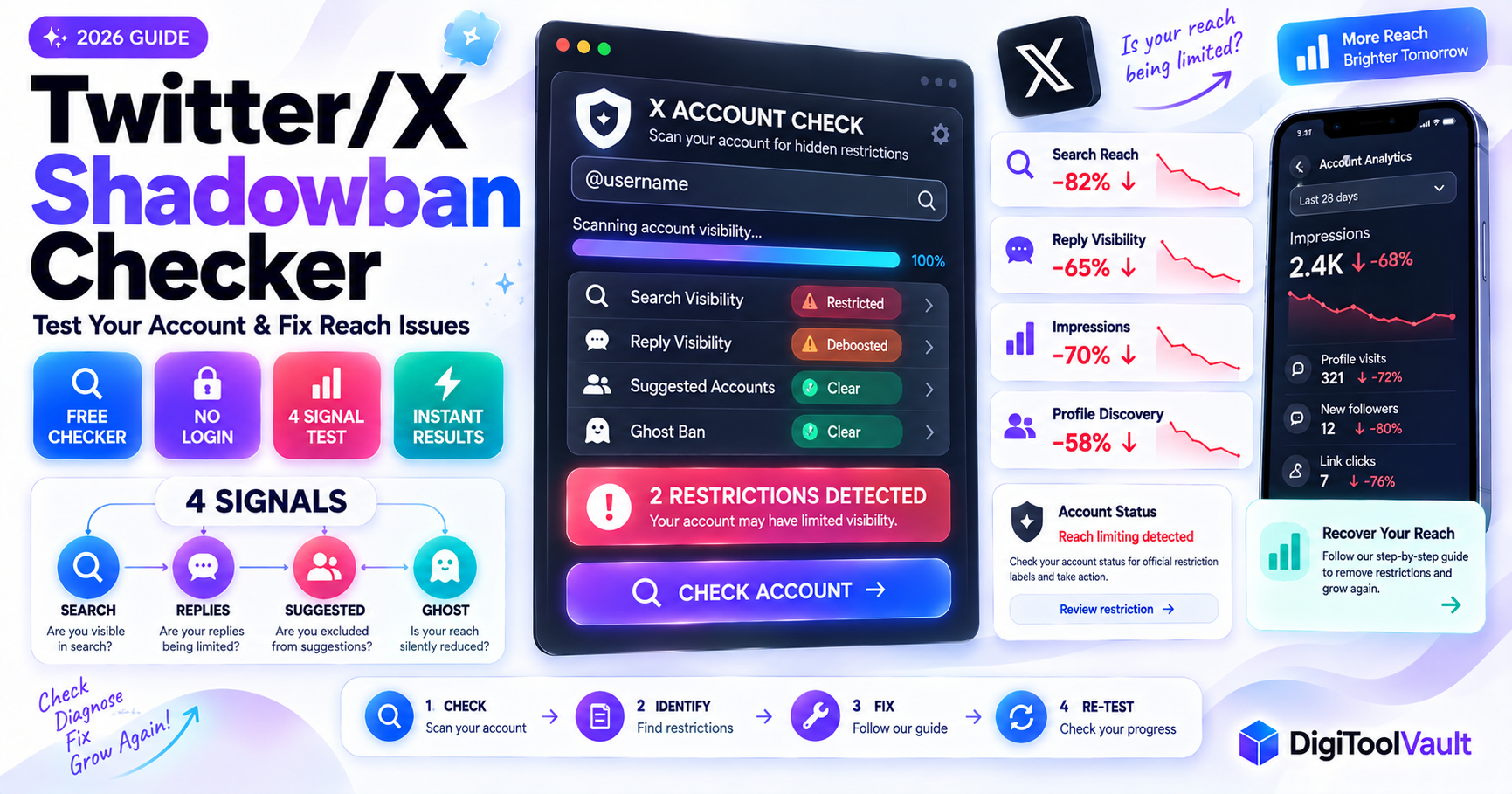
- DigiToolVault's free Twitter Shadowban Checker tests all four signal types search ban, ghost ban, reply deboosting, and suggested ban instant results, no login required
- Most Twitter shadowbans clear in 7 to 14 days once the triggering behavior stops
- Check your X Account Status screen (Settings → Your Account → Account Status) first X now shows official restriction labels there for some ban types
What Is a Twitter/X Shadowban?
A Twitter/X shadowban is when the platform restricts your account's visibility without sending you any notification. Your tweets appear normal to you you can post, like, and reply as usual but X has quietly limited how far your content reaches other users.
In 2026, X does not officially use the term "shadowban." Instead, the platform refers to these restrictions as "reach limiting" and "recommendation eligibility" decisions. According to X's own documentation on reducing account visibility / reach limiting, X may limit the distribution of content and accounts that violate its guidelines or exhibit certain behaviors without removing the account entirely.
The practical effect is what creators have called a shadowban for years: your content stops reaching new audiences, your engagement collapses, and you receive no explanation from X.
Types of Twitter Shadowbans
There are four distinct restriction types on X in 2026. They can apply separately or in combination:
Search Ban
Your tweets do not appear in X search results. When someone searches for a topic relevant to your content, or searches for your @username directly, your account and tweets are hidden from results. From your own account, everything looks normal you can search and see your own tweets. But from a logged-out browser or a different account, you disappear from search entirely.
This is testable: search `from:[your username]` in X while logged out (or from a second account). If you have recent tweets but the search returns nothing, you are search-banned.
Reply Deboosting
Your replies to other users' tweets are hidden from non-followers. When you reply to a popular tweet, your reply appears in the thread when you look at it but other users who are not following you see a "Show more replies" collapse that does not include your response. Your reply is technically there, but functionally invisible.
This is the most common type of shadowban on X and the hardest to notice from your own account.
Suggested Ban
Your account no longer appears in X's "Who to Follow" recommendations, search autocomplete suggestions, or in the "You might also like" suggestions under tweets. New users cannot discover you through the platform's recommendation systems only through direct search of your exact @username.
Ghost Ban
The most severe type. Your replies are invisible to everyone in a thread not just hidden in a "show more" collapse but completely absent when viewing the thread from other accounts. Your account functions normally from your own view, but you effectively cannot participate in public conversations.
How to Test Your Twitter Shadowban Free
Method 1 Free Twitter Shadowban Checker Tool
DigiToolVault's free Twitter Shadowban Checker tests all four restriction types simultaneously:
- Go to DigiToolVault's Twitter Shadowban Checker
- Enter your X @username (without the @ symbol)
- Click Check Account
- Get an instant result across all four signal types search ban, ghost ban, reply deboosting, and suggested ban
No login, no password, no account access ever required. The tool reads public-facing data the same view a logged-out user or someone who does not follow you sees. This is the correct perspective for detecting a shadowban, because a shadowban only shows up from the outside.
Method 2 Manual Search Test
This tests specifically for a search ban:
- Open an incognito/private browser window (or log out of X)
- Go to X search
- Type `from:[yourusername]` in the search bar
- If you have posted recently but no results appear search ban confirmed
Note: X now requires login for most searches in 2026, which complicates this test. Use a second account you are not logged into as the testing account, or use DigiToolVault's checker which handles this automatically.
Method 3 Check Reply Visibility
This tests specifically for reply deboosting and ghost ban:
- Reply to a tweet from a large account (one with thousands of replies)
- Wait 5 to 10 minutes
- Open that tweet in an incognito browser window or from a second account
- Scroll through the replies
- If your reply does not appear at all ghost ban. If it is collapsed under "Show more replies" and not visible without clicking reply deboosting
Also check X's built-in Account Status screen: Settings → Your Account → Account Status. X now displays official restriction labels here for some ban types. According to X's Help Center on Account Status, if a label appears, X has officially limited your reach and an appeal link is typically available.
Signs Your X Account Is Shadowbanned
Tweets Not Showing in Search
Your tweets have stopped appearing when you search for keywords or hashtags you used. Other accounts' tweets on the same topic show up yours do not. You can still see your own tweets from your own account, but searching the topic from another account shows no results from you.
Replies Hidden From Non-Followers
You reply to tweets regularly but your engagement on those replies has dropped to near zero. People are not liking or responding to your replies anymore because they are not seeing them. Reply deboosting hides your responses from anyone who does not already follow you, which eliminates most reply-driven discovery.
Engagement Dropped Suddenly
Your impressions, profile visits, and follower growth have collapsed across multiple consecutive posts with no change in your posting quality or frequency. This sudden, unexplained drop across all metrics simultaneously is the clearest overall signal of a shadowban affecting your account.
What Causes a Twitter Shadowban in 2026?
Posting Too Fast
X's automated spam detection flags accounts that post multiple times within a very short window, especially if the posts contain similar content or hashtags. This includes rapid retweeting, copy-pasting the same reply to multiple threads, and mass-mentioning other accounts. Spreading the same activity over hours rather than minutes avoids triggering these rate-based signals.
Mass Reporting
If multiple users report your content in a short time window regardless of whether the reports are accurate X's automated systems apply temporary restrictions while the reports are reviewed. Accounts in controversial political discussions, debate threads, or any topic that attracts coordinated reporting are most vulnerable to this trigger. Being mass-reported does not guarantee a shadowban, but it significantly raises the risk.
Sensitive Content
X applies reach limiting to content that is marked as or detected as sensitive including graphic imagery, adult content, and content related to violence, self-harm, or certain political topics particularly when it is not labeled appropriately. Content that brushes against X's Community Guidelines without technically violating them may receive reduced distribution without an official violation notice.
New Account Behavior
New X accounts created within the past 30 days are automatically subject to more conservative distribution limits. A new account that immediately posts at high volume, follows many accounts rapidly, or engages in mass-reply behavior triggers new account restrictions that look identical to shadowbans. The fix is simply time and consistent, authentic behavior.
2026-specific triggers to check
- X Premium verification and reach: Verified accounts with X Premium receive different (generally higher) distribution floors. Unverified accounts posting at high volume are subject to more aggressive automated restrictions in 2026.
- Coordinated inauthentic behavior detection: X's systems flag accounts that appear to be operating in coordination posting identical or near-identical content, engaging in synchronized liking or retweeting regardless of whether it is actually coordinated. If you use automation tools or participate in engagement groups, this is a primary risk factor.
- External links in posts: X confirmed in 2023 that posts containing external links receive reduced organic reach. This policy continues in 2026 and affects how widely your tweets are distributed in recommendations, even without a formal shadowban.
How Long Does a Twitter Shadowban Last?
Twitter/X shadowbans are generally shorter than TikTok or Instagram shadowbans most resolve within 7 to 14 days once the triggering behavior stops.
| Restriction Type | Typical Duration | What Triggers It |
|---|---|---|
| Search ban | 3-7 days | Policy violations, spam signals |
| Suggested ban | 7-14 days | Low quality signals, spam behavior |
| Reply deboosting | 7-14 days | Mass reporting, sensitive content |
| Ghost ban | 7-21 days | Repeated violations, coordinated behavior |
| Multiple simultaneous bans | 14-30 days | Multiple ongoing triggers |
Recovery is faster when:
- The triggering behavior stops completely
- No new violations occur during the restriction period
- An appeal is filed through X's Help Center for any official notices
Recovery is slower when:
- The account continues the behavior that triggered the restriction
- Multiple restriction types are active simultaneously
- The account has a prior history of restrictions
How to Fix a Twitter Shadowban
Step 1 Identify the type using the checker Run DigiToolVault's Twitter Shadowban Checker to confirm which of the four restriction types are active. This narrows down the likely cause.
Step 2 Check Account Status in X settings Go to Settings → Your Account → Account Status. If X has applied an official restriction label, it appears here with an explanation and usually an appeal link. File the appeal immediately if one is available. See X Help Center Account Status.
Step 3 Stop the triggering behavior Based on the restriction type and your recent activity:
- If search-banned: stop posting high-volume content with identical hashtags
- If reply-deboosted: reduce reply frequency, particularly in trending threads
- If suggested-banned: review your posting quality and reduce automated activity
- If ghost-banned: stop any behavior flagged as spam mass mentions, identical content
Step 4 Clean up flagged content Delete or make private any recent content that may have triggered the restriction posts with policy-adjacent content, posts that received significant reports, or posts using banned or restricted keywords.
Step 5 Reduce posting frequency for 24-48 hours A short pause in activity after cleaning up flagged content allows X's automated systems to reassess your account's signal pattern. Do not stop completely for weeks just reduce to 1-2 posts per day for 2-3 days.
Step 6 Appeal if eligible For any official restriction shown in Account Status, use the appeal link provided. For reach limiting without an official label, submit a request through X's Help Center under the account issues category.
Step 7 Re-test after 7 days Run DigiToolVault's checker again after 7 days of clean activity to verify your restriction signals are clearing.
Twitter vs TikTok vs Instagram Shadowban
Understanding how these platforms handle shadowbans differently helps you diagnose correctly and respond appropriately.
| Factor | Twitter/X | TikTok | |
|---|---|---|---|
| Official term | "Reach limiting" | Not officially acknowledged | Not officially acknowledged |
| Types | 4 distinct types | Severity levels (FYP, Jail, full) | Primarily FYP-level suppression |
| Duration | 7-14 days typically | 2-4 weeks typically | 1-2 weeks typically |
| Notification | Account Status screen for some | Never | Never |
| Appeal available | Yes (for labeled restrictions) | No formal process | No formal process |
| Primary trigger | Spam behavior, mass reports | Banned hashtags, competitor watermarks | Banned hashtags, third-party tools |
| Checker tool | DigiToolVault | DigiToolVault | DigiToolVault |
X is the most transparent of the three its Account Status screen shows official restriction labels for some ban types, and an appeal process exists. TikTok and Instagram never officially acknowledge shadowbanning and provide no appeal path for algorithmic suppression.
For a complete cross-platform guide, see our Instagram Shadowban Test guide and TikTok Shadowban Checker guide. You can also use the multi-platform Shadowban Checker.
Check your X account now DigiToolVault's free Twitter Shadowban Checker → Four signals. Instant results. Free, no login, no password.
Also available: