
Table of Contents
- TL;DR
- What Is a TXT to DOCX Converter?
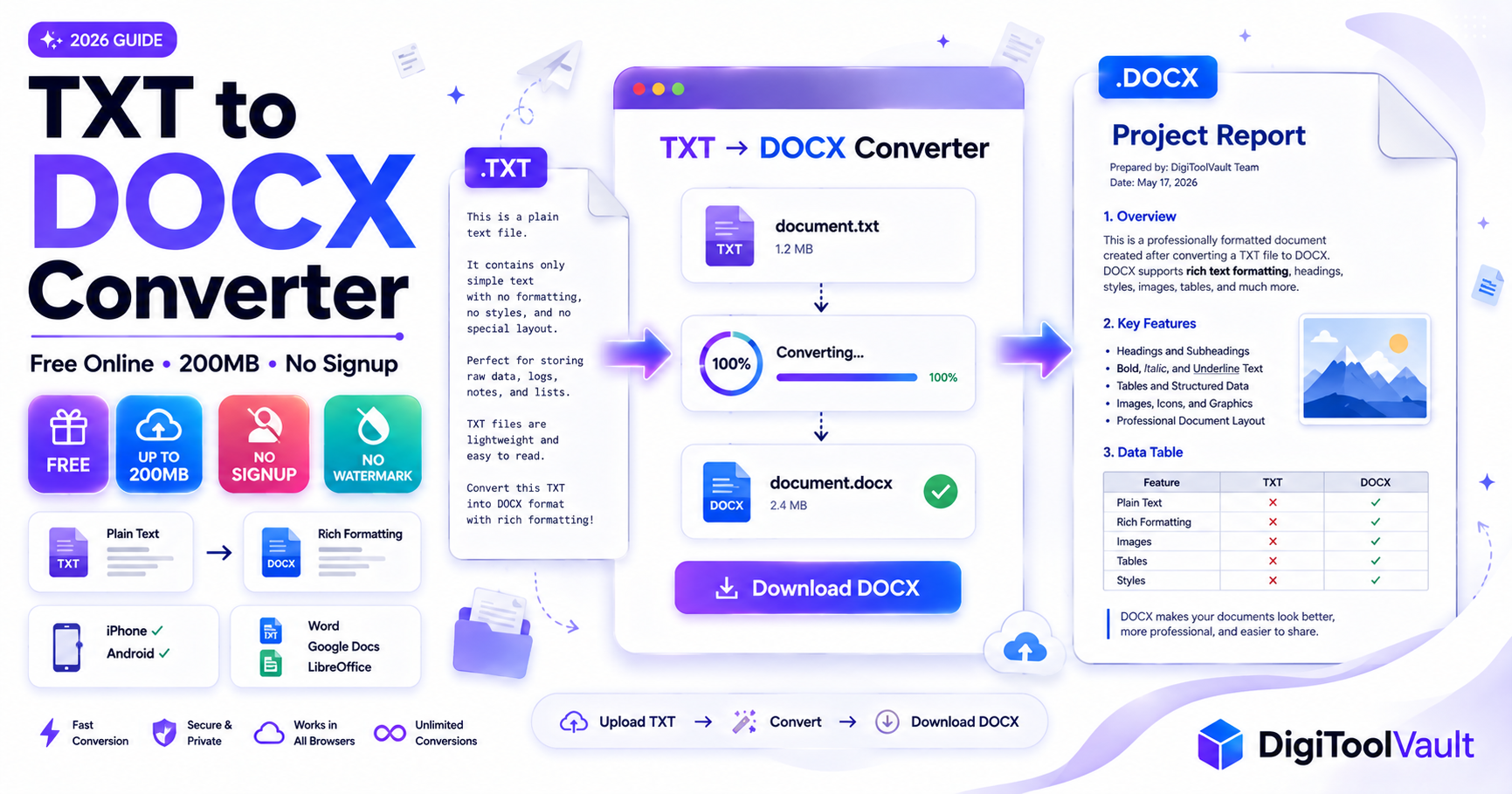
- How to Convert TXT to DOCX Free Online
- Why Use DigiToolVault TXT to DOCX Converter?
- TXT vs DOCX Complete Comparison Table
- Common Uses for TXT to DOCX Conversion
- How to Convert TXT to DOCX on iPhone
- How to Convert TXT to DOCX on Android
- How to Convert TXT to DOCX Without Losing Format
- FAQ
TL;DR
- A TXT file contains plain text only no fonts, no formatting, no bold or headings a DOCX file is fully editable in Microsoft Word with complete formatting support
- DigiToolVault's free TXT to DOCX converter converts any .txt file to Word DOCX in seconds no signup, no watermark, files up to 200MB
- After conversion, open in Word and apply your font, headings, and spacing the text content and line breaks are fully preserved
What Is a TXT to DOCX Converter?
A TXT to DOCX converter is a tool that transforms a plain text file (.txt) into a Microsoft Word document (.docx). The conversion changes the file's internal structure so it opens in Microsoft Word, Google Docs, LibreOffice, and every other DOCX-compatible application with full editing, formatting, and compatibility support.
TXT vs DOCX What Is the Difference?
TXT and DOCX are two completely different file formats built for different purposes.
| Feature | TXT (Plain Text) | DOCX (Word Document) |
|---|---|---|
| File size | Very small | Larger (contains structure) |
| Bold / italic | ❌ Not supported | ✅ Full support |
| Headings | ❌ Not supported | ✅ H1, H2, H3 styles |
| Tables | ❌ Not supported | ✅ Full table support |
| Images | ❌ Not supported | ✅ Inline images |
| Line breaks | ✅ Preserved | ✅ Preserved as paragraphs |
| Special characters | ✅ If UTF-8 encoded | ✅ Full Unicode support |
| Opens in Word | ⚠️ Opens as plain text | ✅ Native format |
| Compatible apps | Any text editor | Word, Google Docs, LibreOffice |
| Submission format | Not accepted by most institutions | ✅ Standard professional format |
A TXT file created in Notepad, Terminal, VS Code, or any code editor stores raw characters only. A DOCX file stores the same text inside an XML-based structure that supports fonts, paragraph styles, tracked changes, comments, headers, footers, and images according to Microsoft's own documentation, DOCX is the default format for all Microsoft Word versions from 2007 onward and is compatible with Google Docs, LibreOffice, and Apple Pages.
When Do You Need to Convert TXT to DOCX?
You need to convert a .txt file to .docx when:
- A university, employer, or client requires document submissions in Word format
- You drafted content in a text editor and now need to format it properly with headings, fonts, and spacing
- You received a .txt file from a system export, script, or automated process and need it as an editable Word document
- You want to send a document by email that the recipient can open and edit in Microsoft Word without compatibility issues
- A form, portal, or system only accepts .docx uploads not .txt files
How to Convert TXT to DOCX Free Online
DigiToolVault's TXT to Word converter converts any .txt file to DOCX in three steps no account, no watermark, no file size tricks.
Step 1 Upload Your TXT File
Go to digitoolvault.com/tools/txt-to-word in any browser. Drag and drop your .txt file into the upload area, or click Select Files to browse from your device, cloud storage, or Downloads folder. The converter accepts TXT files up to 200MB covering every practical document from short notes to large log files or exported data sets.
Step 2 Click Convert
Click the Convert button. The tool processes your file immediately. For standard TXT files, conversion typically takes 3 to 10 seconds. The output format is set to DOCX automatically the standard Word format compatible with Microsoft Word 2007 and all later versions, Google Docs, and LibreOffice.
Step 3 Download Your DOCX File
When processing completes, click Download to save your DOCX file directly to your device. No email required, no account needed, no redirect to a paywall. The file downloads immediately and is ready to open in Word, Google Docs, or any DOCX-compatible application.
Why Use DigiToolVault TXT to DOCX Converter?
No Signup Required
Open the tool and convert no account creation, no email address, no registration form. The majority of competing TXT to DOCX converters either require registration for full access or use free conversion as a lead-generation funnel. DigiToolVault has no account system. The tool works immediately for every user on every visit.
No Watermarks
Your converted DOCX file is completely clean. No watermark text added to the document, no promotional footer inserted into your pages, no branding embedded in the file properties. What you download is exactly what you uploaded converted to DOCX with nothing added.
200MB File Size Free
ONLYOFFICE limits free TXT to DOCX conversion to 5MB before requiring registration. Convertio's free tier has extended limits but premium accounts exist for priority processing. DigiToolVault's 200MB limit covers virtually every practical TXT file from a short paragraph to a 100,000-word exported document, large log files, or concatenated data outputs from a script or database. No compression needed, no splitting required.
Works on iPhone and Android
DigiToolVault's converter runs entirely in the browser Safari on iPhone, Chrome on Android, or any mobile browser. Upload from your Files app, iCloud Drive, Google Drive, or Dropbox, convert, and download the DOCX file directly to your device. No app to install, no mobile-specific limitations.
TXT vs DOCX Complete Comparison Table
| Comparison Point | TXT | DOCX |
|---|---|---|
| Full name | Plain Text File | Office Open XML Document |
| File extension | .txt | .docx |
| Created by | Any text editor | Microsoft Word (2007+) |
| Internal structure | Raw characters only | XML-based compressed archive |
| Maximum formatting | Line breaks only | Full rich text formatting |
| Fonts | System default only | Any installed font |
| Bold / italic / underline | ❌ | ✅ |
| Paragraph styles | ❌ | ✅ (Heading 1, 2, 3 etc.) |
| Tables | ❌ | ✅ |
| Images | ❌ | ✅ |
| Page margins | ❌ | ✅ |
| Headers and footers | ❌ | ✅ |
| Track changes | ❌ | ✅ |
| Password protection | ❌ | ✅ |
| File size (typical) | Under 1MB even for large docs | Larger depends on content |
| Opens in Microsoft Word | Yes (as plain text) | Yes (native format) |
| Opens in Google Docs | Yes (as plain text) | Yes (full formatting) |
| Accepted for submission | Rarely | ✅ Standard everywhere |
| Encoding support | ASCII, UTF-8, UTF-16 | Full Unicode via XML |
| Convert to | DOCX, PDF, RTF, HTML | PDF, TXT, RTF, HTML, ODT |
Common Uses for TXT to DOCX Conversion
Students and Academic Work
Universities and colleges almost universally require assignment submissions in DOCX format not TXT. Students who draft in a plain text editor (common among those studying programming, linguistics, or working on Linux systems) need to convert before submitting. A TXT to DOCX converter makes this a one-step process upload, convert, download, format in Word, submit.
Additionally, many plagiarism checkers, LMS submission portals (Moodle, Canvas, Blackboard), and grading systems only accept .docx files. A TXT file uploaded to these systems either fails validation or strips content incorrectly.
Developers and Log Files
Developers frequently work with .txt output files application logs, exported database records, test results, config file dumps, and terminal output saved as text. When these files need to be shared as reports, documented in a handover, or sent to non-technical stakeholders, DOCX is the expected format.
Converting a log file or data export from TXT to DOCX also makes it easier to apply formatting that aids readability fixed-width fonts for code blocks, color highlighting for error lines, or a summary table added at the top.
Writers and Drafts
Many writers prefer distraction-free writing in plain text editors Notepad, Sublime Text, iA Writer in plain text mode, or even just a terminal. The draft is clean and portable. When the draft is ready for editing, sharing with an editor, or submission to a publisher, it needs to move to DOCX format where tracked changes, comments, and formatting can be applied.
A TXT to DOCX converter handles this in seconds the writer keeps their preferred drafting environment and converts to the required delivery format at the end.
Business Data Files
Businesses regularly export data from CRM systems, accounting software, and databases as .txt files customer lists, transaction records, support ticket exports. When these files need to become shareable reports, be formatted with tables and headers, or be appended with analysis and sent to clients, converting to DOCX is the first step.
How to Convert TXT to DOCX on iPhone
Converting a TXT file to DOCX on iPhone takes under a minute and requires no app downloads.
- Open Safari on your iPhone
- Go to digitoolvault.com/tools/txt-to-word
- Tap Select Files
- Choose your .txt file from the Files app including iCloud Drive, On My iPhone, or any connected cloud storage (Google Drive, Dropbox, OneDrive)
- Tap Convert
- Tap Download the DOCX file saves to your Downloads folder in the Files app
- Open it directly in Microsoft Word for iOS, Google Docs, or Apple Pages
The converted DOCX opens immediately in any Word-compatible app on your iPhone. All line breaks and paragraph structure are preserved apply your fonts and formatting in Word after opening.
How to Convert TXT to DOCX on Android
The process is identical on Android using Chrome or any mobile browser.
- Open Chrome on your Android device
- Go to digitoolvault.com/tools/txt-to-word
- Tap Select Files
- Choose your .txt file from your Downloads folder, Files app, Google Drive, or any connected storage
- Tap Convert
- Tap Download the DOCX file saves to your Downloads folder
- Open in Microsoft Word for Android, Google Docs, or WPS Office
No account, no app, no data charges beyond your standard browser use. The DOCX file downloads directly to your Android device and is immediately available in any document editor.
How to Convert TXT to DOCX Without Losing Format
This is the most common concern with TXT to DOCX conversion and the honest answer is straightforward.
TXT files have no formatting to lose. A plain text file contains only characters and line breaks no bold, no headings, no fonts, no paragraph styles. What the converter preserves is your text content and line breaks, which become paragraph breaks in the DOCX file.
What you gain after conversion is the ability to add formatting. Here is the standard process for getting a clean, well-formatted DOCX from a TXT file:
Step 1 Convert the TXT file. Use DigiToolVault's TXT to Word converter your text and paragraph structure carry across intact.
Step 2 Apply a font. Open the DOCX in Word or Google Docs. Select all (Ctrl+A / Cmd+A). Choose a readable font Calibri 11pt or Times New Roman 12pt are standard professional choices.
Step 3 Apply heading styles. Select lines that should be headings and click Heading 1, Heading 2, or Heading 3 from the Styles panel in Word. This creates a proper document hierarchy that Google and Word recognise.
Step 4 Set line spacing. Go to Paragraph settings (Home tab → Paragraph group → Line spacing). Set to 1.15 or 1.5 for comfortable reading. Adjust spacing before and after paragraphs as needed.
Step 5 Check encoding. If you see garbled characters or question marks instead of accented letters, the original TXT file may have been saved in a non-UTF-8 encoding. Re-save the TXT in Notepad (Windows) or TextEdit (Mac) as UTF-8 before converting again. The Unicode UTF-8 standard is the encoding that preserves all special characters correctly during conversion.
For a complete guide to this process, see our TXT to Word conversion guide.
Need to convert a PDF instead? Try DigiToolVault's PDF to Word Converter supports files up to 200MB, no signup. Or read: PDF to Word 200MB Free Guide.
FAQ
How do I convert a TXT file to DOCX free? Go to DigiToolVault's free TXT to Word converter, upload your .txt file, click Convert, and download the DOCX. No account required, no watermark, no daily limits. Files up to 200MB are supported on the free plan no payment needed.
What is the difference between TXT and DOCX? A TXT file stores only plain text characters with no formatting no bold, no headings, no tables, no images. A DOCX file stores the same text inside a structured XML format that supports full rich text formatting, fonts, paragraph styles, tables, images, tracked changes, and all Word features. DOCX is the standard submission and sharing format for professional and academic documents. TXT is used for raw data, code, scripts, and logs.
Can I convert TXT to DOCX without Microsoft Word? Yes. DigiToolVault's online converter converts TXT to DOCX entirely in your browser no Microsoft Word installation required. The converted DOCX opens in Google Docs, LibreOffice, Apple Pages, WPS Office, or any DOCX-compatible application, so you never need Word to use the output file.
Is there a TXT to DOCX converter with no watermark? Yes. DigiToolVault's TXT to Word converter adds no watermark, no footer text, no promotional content, and no branding to your converted DOCX file. The output is a clean, standard DOCX document with only the content from your original TXT file. This is free with no account required.
How do I convert TXT to DOCX on iPhone? Open Safari and go to DigiToolVault's TXT to Word converter. Tap Select Files, choose your .txt file from the Files app or any connected cloud storage, tap Convert, then Download. The DOCX saves to your iPhone's Files app and opens immediately in Microsoft Word for iOS, Google Docs, or Apple Pages. No app download required.
What is the maximum file size for TXT to DOCX conversion? DigiToolVault supports TXT files up to 200MB on the free plan with no signup required. Plain text files are very small even when they contain large amounts of text a 100,000-word document in TXT format is typically under 1MB so the 200MB limit covers virtually every practical use case including large log files, database exports, and concatenated data files.
Will my text formatting be preserved when converting TXT to DOCX? TXT files contain no formatting no bold, no headings, no fonts. What is preserved during conversion is your text content and line breaks, which become paragraph breaks in the DOCX file. After conversion, open the DOCX in Word or Google Docs and apply your font, heading styles, and spacing. This takes under two minutes. For a complete walkthrough, see our TXT to Word guide.
Can I convert multiple TXT files to DOCX at once? DigiToolVault's converter currently processes one file at a time. Because TXT files are very small and each conversion takes only seconds, converting multiple files individually is fast in practice. There are no daily limits, so you can convert as many files as you need in sequence with no restrictions.
Convert your TXT file to DOCX now DigiToolVault's free TXT to Word Converter. No signup. No watermark. Up to 200MB free. Works on any device.


